Students need to log in to the My Student Portal to view their overall grades for their courses.
Step 1: Log in to My Student Portal
Go to the Learner App – My Student Portal login page: Log in - Learner App
Enter your correct username and password.
Click Log In.
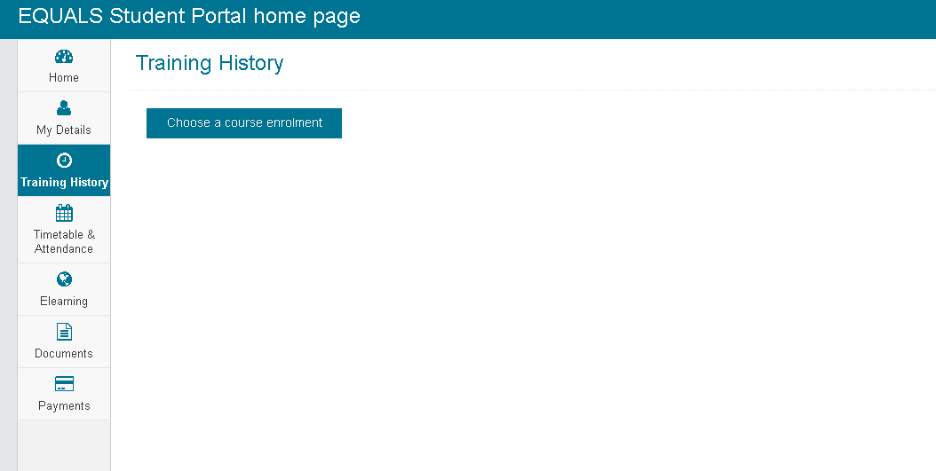
Step 2: Access Training History
On the left-hand side menu, click on the Training History tab.
Step 3: Select Your Course
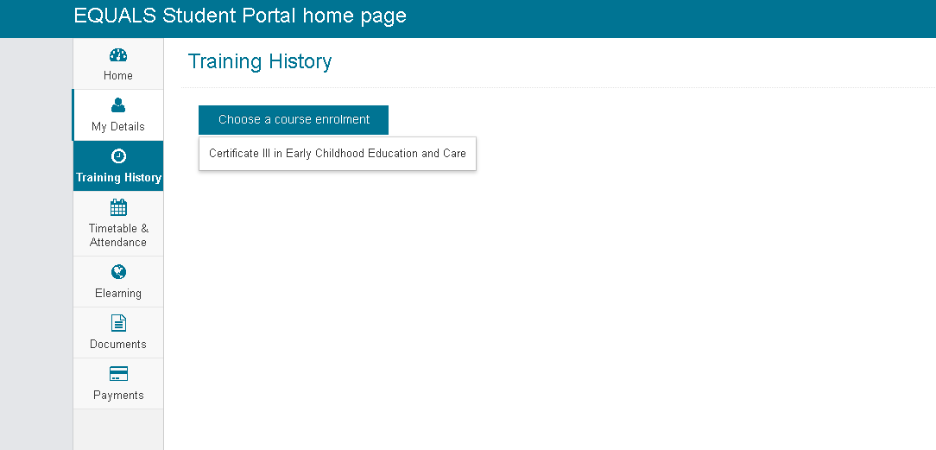
Choose the correct course enrolment from the list.
Step 4: View Overall Grades
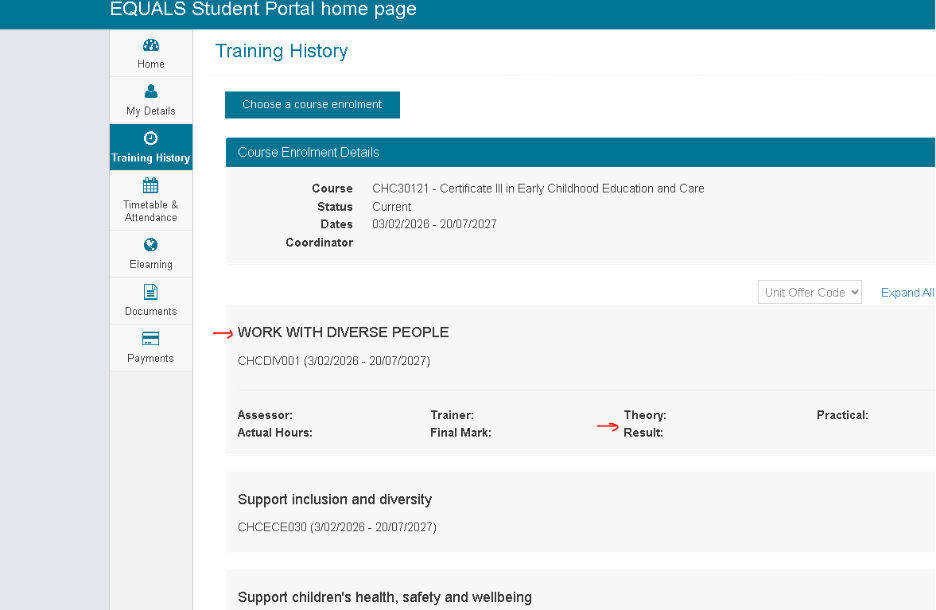
Under the Training History tab, you will be able to see your overall grades listed under each unit within your course.
Was this article helpful?
That’s Great!
Thank you for your feedback
Sorry! We couldn't be helpful
Thank you for your feedback
Feedback sent
We appreciate your effort and will try to fix the article